

The register says one thing and the books say another, and somebody has to make them agree. For most shops that somebody is the owner, at night or on a Sunday, or it’s the bookkeeper chasing you for reports.
For 29 years at Mobile Edge, my point of sale didn’t connect to anything else, and that included my accounting. So every number that had to get from the counter into the books got there by hand. Somebody printed the reports. Somebody keyed the totals into QuickBooks. Somebody keyed every vendor invoice in a second time. And when the two didn’t agree, somebody sat down and hunted for the difference. Some months that was my bookkeeper, and some months it was me, after close, when I should have been home.
I keep coming back to the same lesson on this. When the same number has to be typed twice, discipline doesn’t fix it. The system has to carry it.
1sixty8 Manifold now connects to QuickBooks Online, and it’s included with every plan at no extra cost.
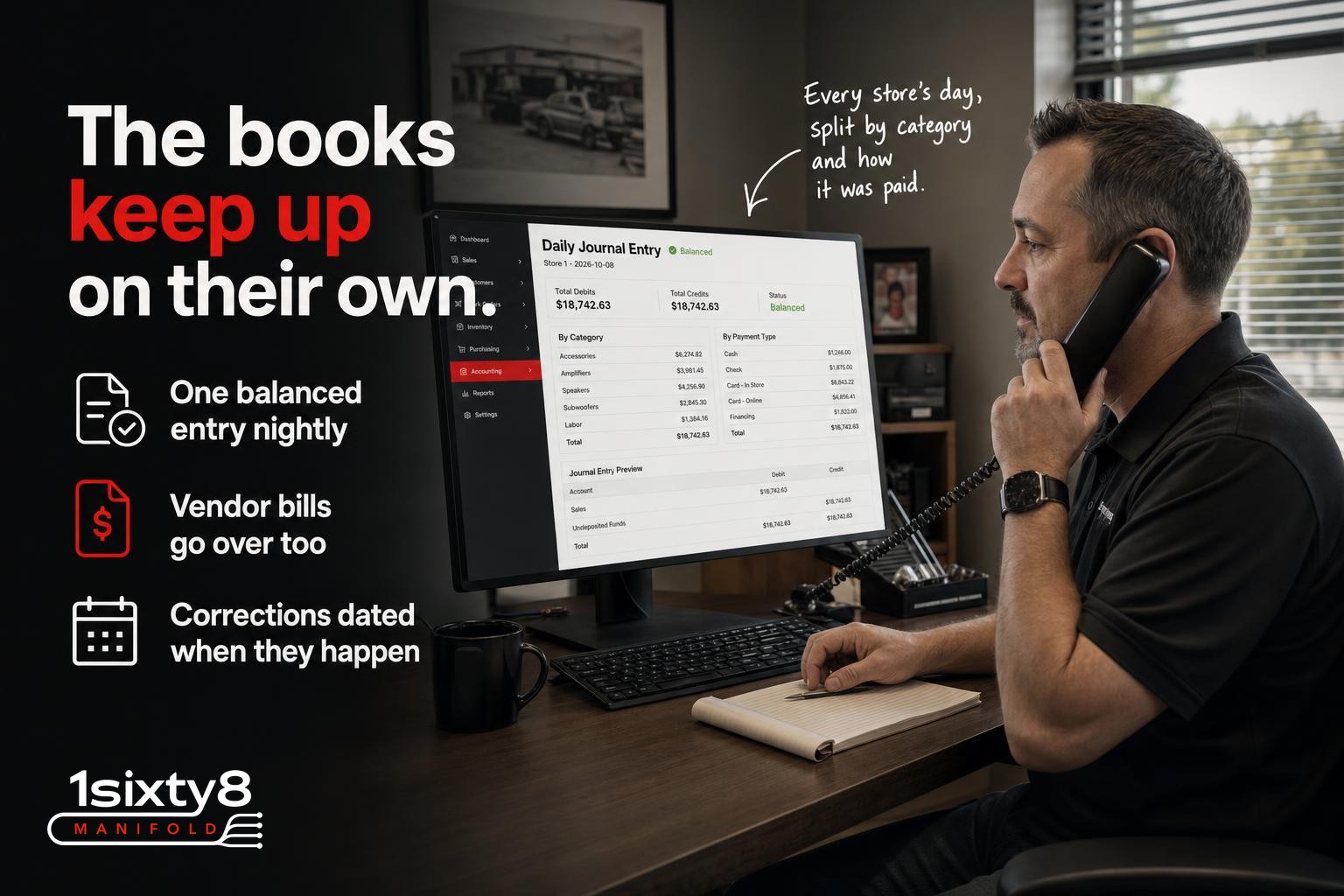
Every night it sends the day’s sales, sales tax, payments and deposits to QuickBooks Online as one balanced journal entry for each store. Sales are split by your product categories. Money coming in is split by how it came in: cash, checks, each card processor, financing. Your bookkeeper sees the same numbers you see, and every day balances.
Vendor bills go across too. When you receive a purchase order, the bill lands in QuickBooks under that vendor with the invoice number you typed in at receiving, and return credits go over as vendor credits. Nobody keys the vendor invoice in twice. (That part needs QuickBooks Online Essentials or higher.)
The part I care about most is what happens after a day is sent. I’ve watched shops buy an add-on sync and end up worse off than before they had it. A sale gets refunded a week later, or an invoice gets edited after it already went across, and now the two systems disagree and nobody can tell you which one is right. Most bookkeepers I’ve talked to have a story like that. So a day that’s been sent stays the way it was sent. If somebody voids a payment afterward, the difference shows up as a labeled adjustment on the day it happened. It never reaches back and rewrites last month, which is exactly how a good bookkeeper corrects a closed day. Making sure that couldn’t happen was the first thing I designed, before anything else got built.
You stay in control at the start. You send the first five days yourself, by hand, and look at them in QuickBooks with your bookkeeper. Once you’re comfortable, turn on automatic sending and from then on it goes every night by itself. If anything ever needs a look, like a new category with no account picked yet, it stops and tells you what it is.
Setup is done once:
- Connect from Settings and approve it in QuickBooks.
- Match each of your amounts to one of your QuickBooks accounts. 1sixty8 Manifold suggests the matches from your account names and can create the standard accounts you don’t have yet.
- Let your bookkeeper pick whether sales count on the day the job is finished or the day the money comes in.
If you run more than one store, each one can send into the same QuickBooks company, tagged with its own location or class, so your reports still split by store. That needs QuickBooks Online Plus or higher.
What it doesn’t do matters too. Information only goes one way, from 1sixty8 Manifold to QuickBooks. Your customers’ names and contact details never go to QuickBooks, only the daily totals. Your customer records, invoices and inventory stay in 1sixty8 Manifold, where they belong.
If I’d had this at Mobile Edge, the end of the month would have been a phone call with my bookkeeper about the numbers instead of an evening getting the numbers to her.
If month-end is the night you dread, send me a note and I’ll show you what it looks like on your own numbers.